Technology Tools for Hardscape
It's Sunday morning and stores aren't open yet. You're still in your pajamas anyway. So you go online to shop for a new piece of furniture. But it's so difficult to visualize that new chair, couch or side table in your living room. Wait, there's a button that says "Show Me" or "Try It In Your Space". Suddenly, a picture of that sofa appears on your screen with the instructions to point your device where you want to "place" it.
Augmented reality is a fun tool. It allows you to "try before you buy", saving money and hassle.
It's also an opportunity for you, as a business owner or project manager/sales person. But who has the resources to develop that kind of technology? The hardscape vendors you buy from through Christensen's have done the work for you. They've developed everything from project galleries to augmented reality. What have you used from this list?
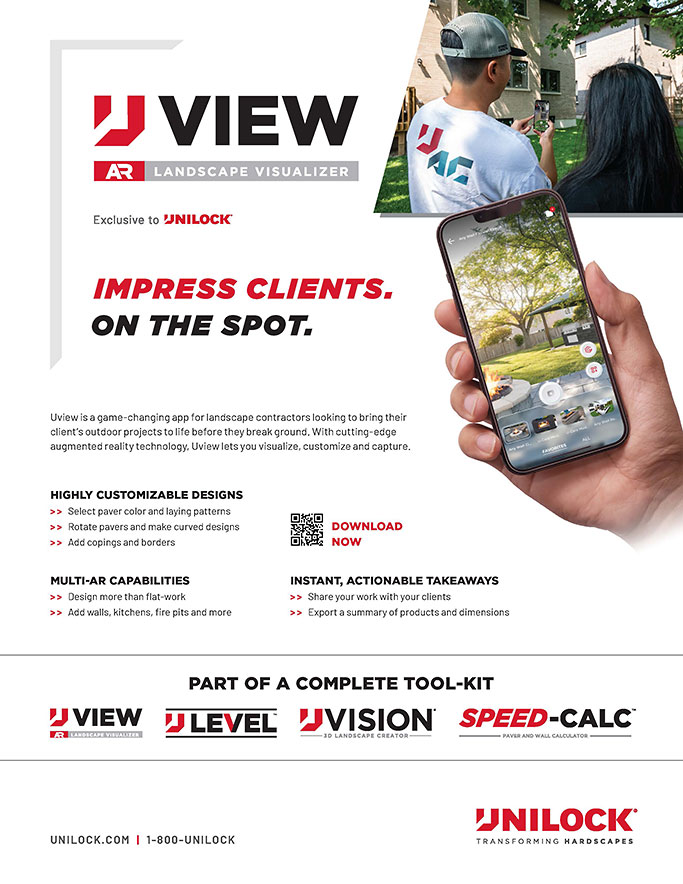

Unilock has developed an app, Uview.
Its augmented reality capabilities allow you to plan more than just a flat patio: add kitchens, fire pits and more. Visit your favorite app store to download.
In addition to Uview, Unilock's technology tools include UVision® 3D Landscape Creator, an online design program as well as Speed-Calc™, a mobile friendly project calculator.

Techo-Bloc also has an augmented reality program. Visit their website to find the right product, see how colors work in the space, all from your phone or device. Inspiration and planning guides are also available.
Contractors can find technical information, training information and even chat with a design expert as part of Techo-Bloc's Contractor pages.

Oaks Landscape Products provides several inspirational opportunities. The Oaks Landscape Project Gallery includes 5 pages of image projects. Their website also has an extensive list of technical information and guides in their Resource Center. You can find it on their website on the top ribbon. Find the Landscape Project Gallery and more under the Inspiration drop-down menu on the top ribbon.

High Format offers over a dozen Inspiration Galleries on their website, each with detailed pictures and specs of the products used in the project. Downloads are also available, providing project details as well as links to an Outcropping Layout App and Outcropping Height Guide Tool.